Built Around Real Website Moments
Use one connected service structure for the exact moments that already happen in the workflow instead of forcing teams into a disconnected inbox routine.
 QWACKER
Services
Qwacker services help businesses turn the moments that need a reply, update, request, payment action, or follow-up into clear customer-facing workflow actions that stay attached to the work.
Use one connected service structure for the exact moments that already happen in the workflow instead of forcing teams into a disconnected inbox routine.
Move from internal work to customer-facing updates, requests, approvals, invoices, and replies without losing context or creating extra manual steps.
Give the business a practical operating path it can launch, verify, and expand one workflow at a time without redesigning how the staff already works.
Qwacker is not meant to be another generic messaging layer. The service structure is built so the business can start from one real customer workflow, keep the response path attached, and expand from there with operational clarity.
Workflow Service Surface
Work from a connected operator workspace that keeps status, thread activity, and customer actions visible in one operating view.
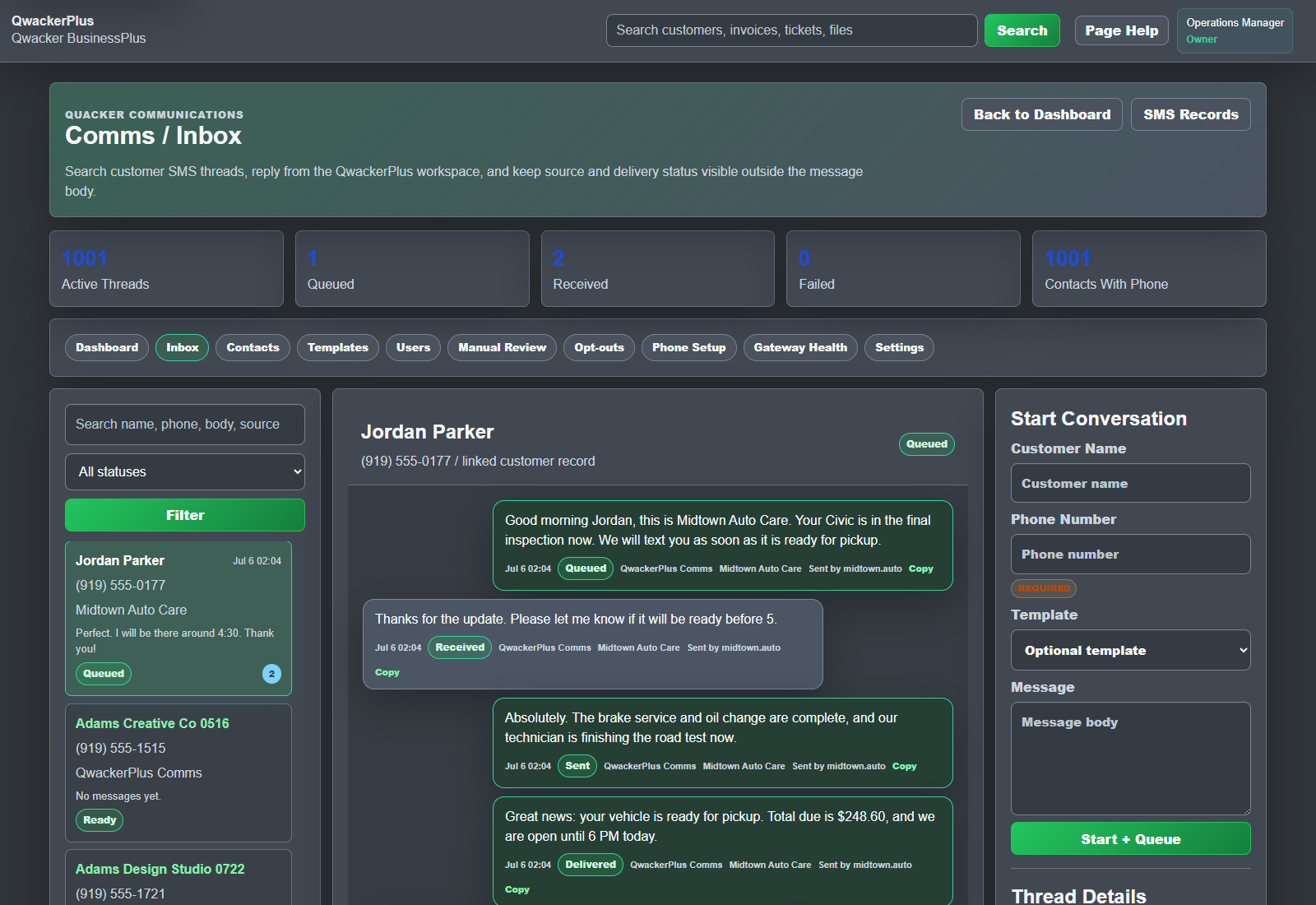
Design the service structure so the important website moments can trigger the right customer action at the right time.
Choose the connected line path that fits the business, the workflow, and the level of ownership needed for that service lane.
Connect forms, jobs, invoices, updates, approvals, review requests, and replies without turning the site into a disconnected dashboard.
Bring replies and follow-up actions back to the same workflow so staff can respond with context instead of rebuilding the situation.
Prepare the core customer messages the business actually needs first so launch starts with practical output instead of filler automation.
Test, verify, and go live with the first workflow, then expand from one clear customer conversation surface as the business grows.
The service path should feel obvious to the operator. A workflow event happens, the right customer-facing action goes out, the reply comes back, and the full context stays attached to the work instead of getting lost between tools.
Mobile Workflow View
Keep the service path usable on a smaller screen while operators retain thread state, customer identity, and message movement in one connected workspace.

A form is submitted, a job is created, an invoice is ready, or an update needs to be shared.
Qwacker detects the moment inside the workflow and prepares the correct customer-facing service action.
The customer receives the right update, request, approval prompt, invoice link, or next-step message.
The response returns to the same service path so the business can act without losing timing, context, or thread history.
The result stays with the job, request, invoice, update, review ask, or operational record that started the conversation.
Start with one high-value service lane such as job creation, service updates, invoice delivery, approval requests, review requests, or reply-thread handling.
The operator does not have to invent a new process. Qwacker is strongest when it attaches customer action directly to the work the business is already doing.
Choose one job, invoice, update, authorization, review request, or reply thread and turn it into a clear website workflow message that the team can actually operate.