
Qwacker Insights
Useful Guidance For Messaging That Stays Attached To The Work
Explore practical guidance for connecting website activity, customer conversations, reply handling, and operational follow-up so communication stays useful to the people doing the work.
A Practical Resource Library
Start With The Operating Question You Need To Solve
Qwacker Insights helps owners, operators, dispatchers, service teams, and technical partners understand where connected customer messaging can strengthen real work. Start with the topic closest to the workflow, response, or customer outcome you need to improve.
New Guide
Website Forms Should Not End the Conversation
A form submission captures a moment. The real customer experience depends on what happens next: who owns the response, where the context stays, and how the next action remains connected to the work.
Read The Guide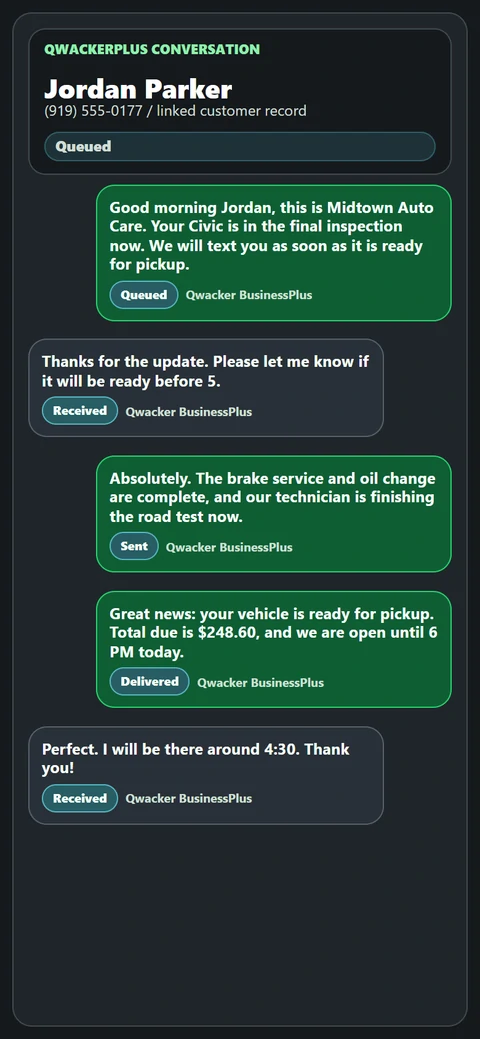
Coverage Areas
Six Focused Insight Categories
Explore the practical areas where connected messaging can improve daily operations and customer follow-through.
Workflow Foundations
Workflow Messaging
Understand how website actions, customer messages, replies, job records, invoices, and approvals become one connected operating path.
- Message-driven workflow basics
- Keeping context attached
- Templates and trigger strategy
Operator Visibility
Queues And Reply Operations
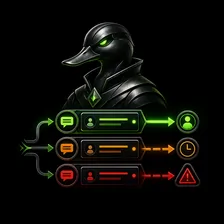
Learn how teams organize inbound replies, ownership, unread activity, failed sends, follow-up timing, routing, and escalation.
- Queue health and response timing
- Assignment and ownership
- Failure and escalation handling

Connected Systems
Website Integration
Explore the practical decisions behind connecting forms, jobs, invoices, status events, and customer-facing actions to Qwacker.
- Trigger and record mapping
- Outbound and inbound paths
- Testing connected workflows

Choosing The Right Lane
Products And Deployment
Compare line ownership, provided-line options, self-hosting, routing capacity, launch preparation, and the path from Lite through Pro.
- Product-fit decisions
- Line and hosting models
- Launch-readiness guidance

Work In Motion
Field Service And Dispatch
See how operational communication supports scheduling, arrival updates, technician progress, approvals, closeout, and dispatch coordination.
- Service-update playbooks
- Dispatch and routing visibility
- Technician-to-office context

Customer-Facing Outcomes
Experience And Revenue
Use timely communication to improve customer confidence around updates, approvals, invoice delivery, follow-up, and review requests.
- Clear customer expectations
- Approval and payment follow-up
- Closeout and review timing